Deblur text: the order the passes run in
| Step | What it does | Why here |
|---|---|---|
| Flatten | Divides out the paper's own brightness under every pixel | Shadows must not be read as ink |
| Levels | Paper to white, ink towards black, from measured values | Sharpening works on the contrast it is given |
| Sharpen | Radius about a quarter of the measured stroke width | Strokes, not paper texture |
| Check | Counters open and stroke contrast, before and after | Catches holes in letters filling in |
Screenshots and scaled text
A screenshot opens as a PNG and saves as a PNG unless you choose otherwise, so no JPEG ringing is added around letters. Text that was enlarged by another program has soft or blocky edges that sharpening cannot fix cleanly; it reads best resized back to the size it was captured at, and sharpened there.
Related on this site
- For a signature with an exact pixel and KB limit: sharpen a signature for a form.
- For a printed photograph scanned from a book or album, with its dot screen: sharpen old photos.
- The written case for restraint on small text is in make a faint scan legible.
Questions: deblur text in an image
Can it read text that is completely blurred?
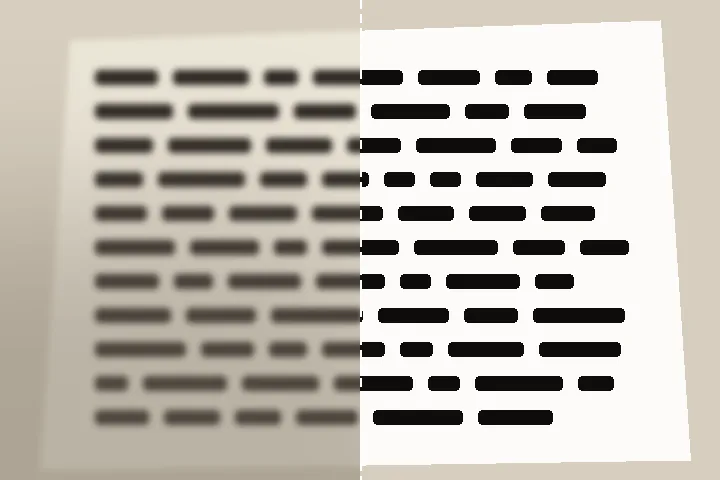
No. Letters that merged when the photo was taken cannot be separated — the strokes were averaged together and the gap between them is not in the file. What this page does is make text that is there but faint, grey, shadowed or soft read clearly. It prints how many letter holes (the inside of an o or an e) stay open after the pass, so you can see when sharpening starts to close them.
Why does my photographed page look grey and patchy?
Uneven light. A phone photo of paper carries a shadow from the hand, a vignette from the lens and a colour cast from the room. The first step divides out an estimate of the paper's brightness under every pixel, so the shadows are not read as ink; then the paper is set to white and the ink towards black from levels measured on your own file.
Should I turn on clean black and white?
Usually not for small text. A hard threshold removes the grey edge pixels that let small letters read at their size. It helps a stamp, a large heading, or a page that will be printed on a laser printer. The default keeps greys.
Can I fit the result to a form's size and KB limit?
Yes. The output station has form presets — the handwritten declaration, thumb impression and photograph sizes stated in IBPS-format bank recruitment notices — and a custom pixel and KB band. The file is resampled to the exact pixels, sharpened for that grid, and the JPEG quality is searched to land inside the band.
Is the document uploaded?
No. The page is decoded and processed in this tab. There is no server on this site that receives files.